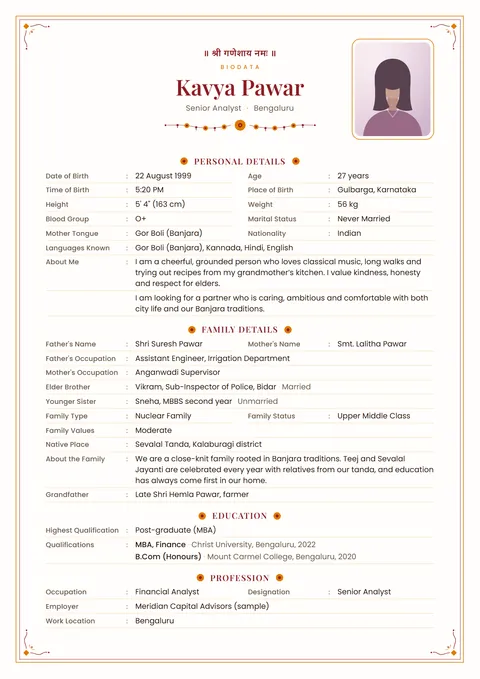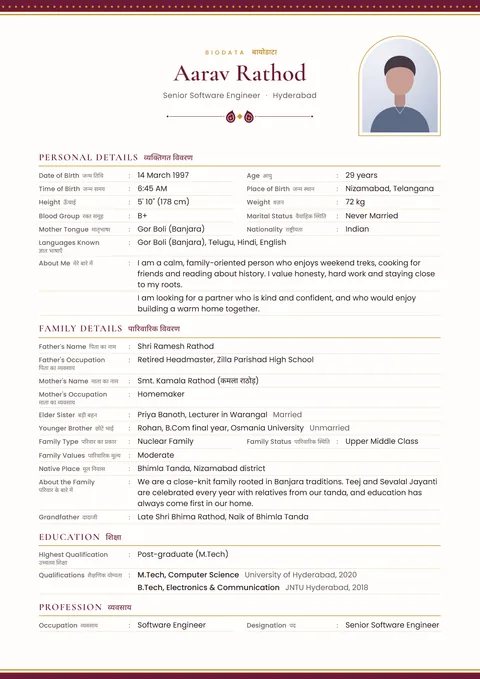
Premium Traditional Indian
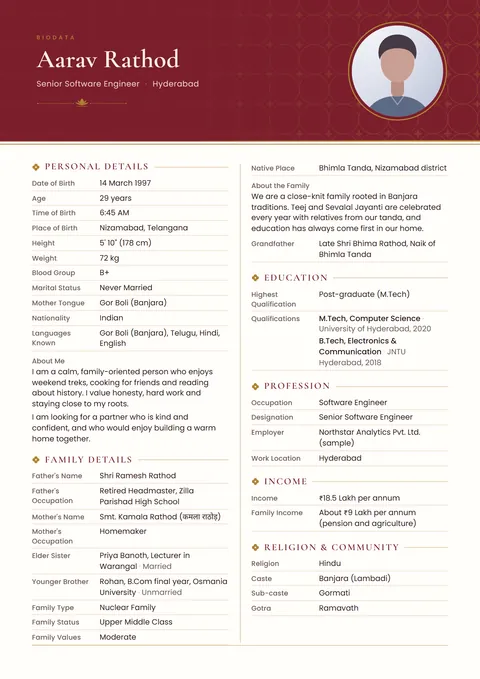
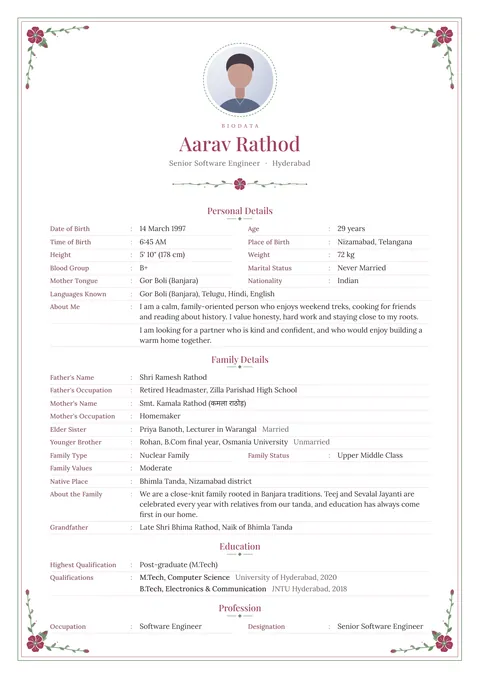
Maroon and gold with a double frame and lotus details: the layout families recognise at a glance.
Use this template
Banjara Matrimony made free for the Banjara community. Find verified Banjara brides & grooms across India on BanjaraMatch.com.
 Free Banjara Matrimony


Create a beautiful marriage biodata in minutes. Pick a template, add your personal, family and education details and a photo, then download a print-ready PDF in English, Hindi or both.
No design skills and no formatting: you type the details, the template takes care of the layout.
Pick one of 15 designs, from traditional and community styles to modern, minimal and printer-friendly ones. You can switch templates at any time without losing anything you have typed.
Short steps cover personal details, photo, family, education, profession, income, religion and community, lifestyle, partner preferences, contact and anything extra. Skip whatever does not apply to you.
Pan, zoom and rotate the photo inside the maker so it sits neatly in the template's photo frame.
Choose a colour palette and font, decide where the photo goes, rename, reorder or hide sections, and set the labels to English, Hindi or both.
The preview is split into real A4 pages and shows the page count, so you know exactly how the biodata will print.
Get an A4 PDF that is ready to send on WhatsApp or by email, or print it directly. Sign in with a free account when you want to save drafts online or share a private link.
Every template is free. Pick one to start; you can switch to another later and keep everything you typed.
Showing all 15 templates
Maroon and gold with a double frame and lotus details: the layout families recognise at a glance.
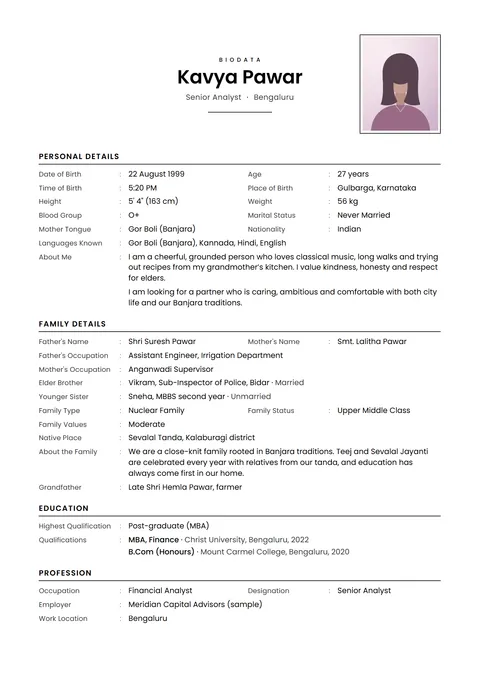
Use this templateCrisp black on white with hairline rules. Prints and photocopies perfectly.
Use this templateA slate side rail for photo, key facts and contact beside a crisp, modern main column.
Use this templateGraphite type, generous white space and hairline rules. Nothing extra.
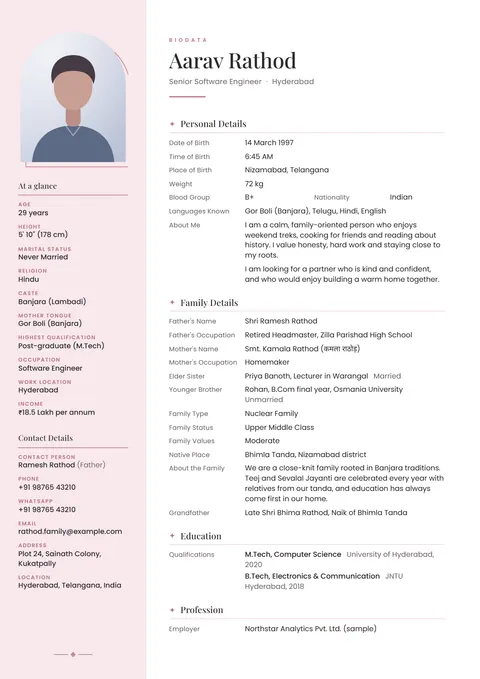
Use this templateBlush and charcoal with an arched photo frame and graceful serif headings.
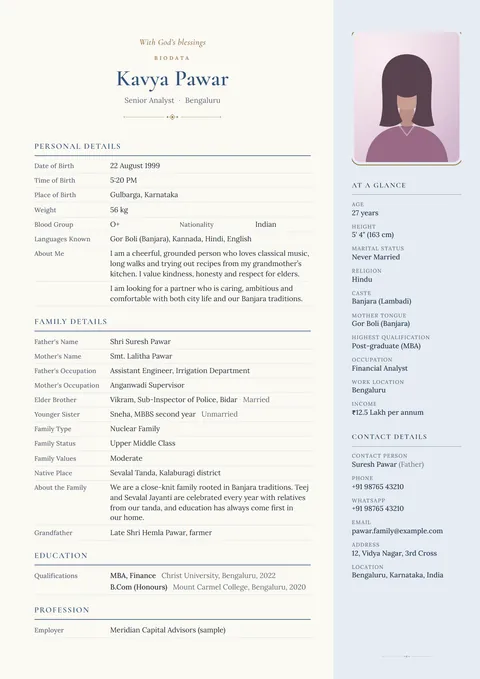
Use this templateDove blue on ivory with a gentle blessing line and graceful serif type.
Use this templateA rich maroon band with a gold jaali pattern, round portrait and two elegant columns.
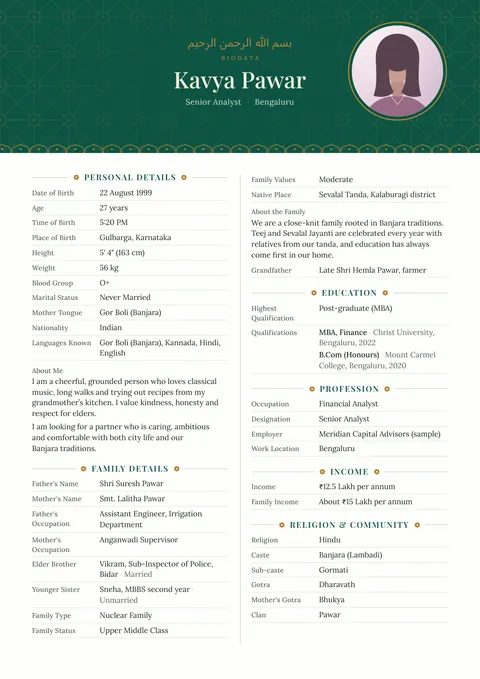
Use this templateEmerald and gold with a geometric girih pattern and an optional Bismillah line.
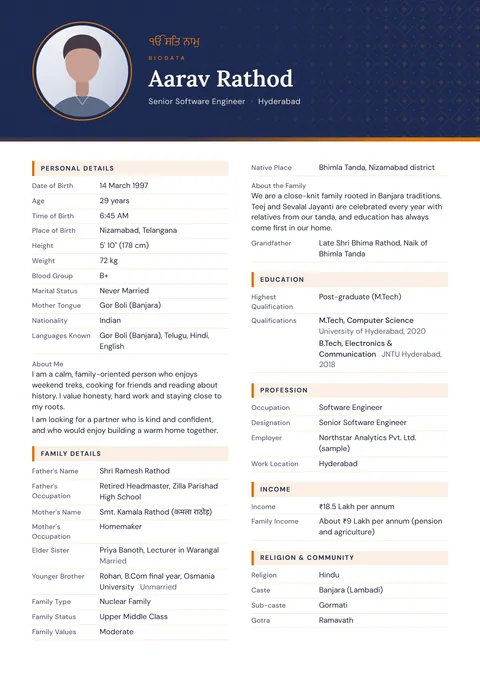
Use this templateNavy and saffron with a phulkari-inspired lattice and an optional Ik Onkar line.
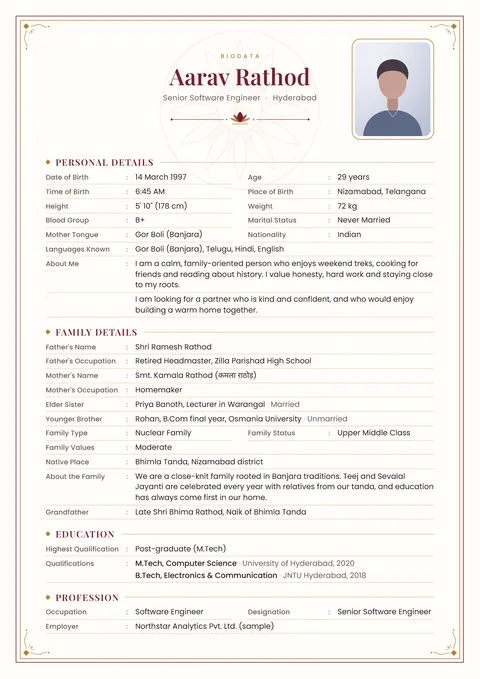
Use this templateA banded gold frame with filigree corners on every page: stately, formal and timeless.
Use this templateSoft rose and sage with blossom corners and a leafy vine: graceful and light.
Use this templateA magazine-style cover: your photo full width, name over a soft gradient and a strip of key facts.
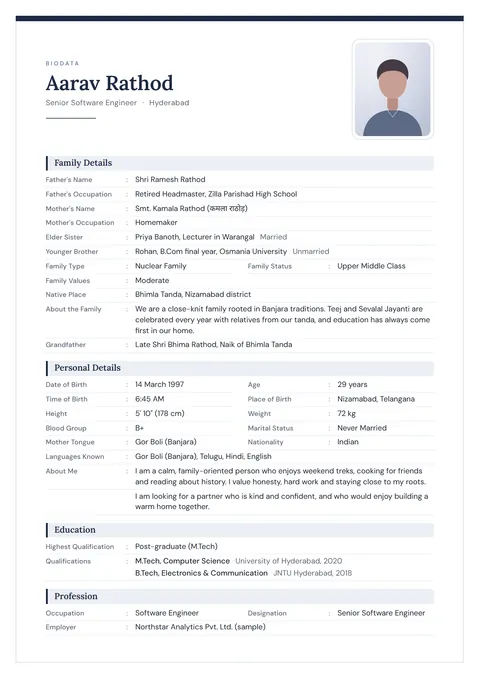
Use this templateFamily details first, in calm navy with tinted section bands: clear, warm and dependable.
Use this templateSaffron and maroon with a marigold garland and an invocation line you can change or remove.
Use this templateEnglish and Hindi labels side by side, a woven border stripe and regional colours.
Use this templateBuilt for Indian marriage biodatas: family details, community fields, partner preferences and bilingual labels.
The A4 preview updates as you type, page by page, so what you see is what you download.
Traditional, modern, minimal, photo-focused and community designs, each with colour and font options.
Crop your photo in the builder and list parents, siblings, family type, native place and more.
Show, hide, rename and reorder sections, and add your own fields where the standard ones do not fit.
Download an A4 PDF with selectable text, or print it straight from your browser.
Labels in English, Hindi or both. Your own words stay exactly as you type them.
Fill it in on your phone with separate Edit and Preview tabs.
Your browser keeps your work as you go; signed in, drafts are saved to your account to continue on any device.
Send a private link instead of a file. Contact details stay hidden unless you choose to show them, and you can turn the link off at any time.
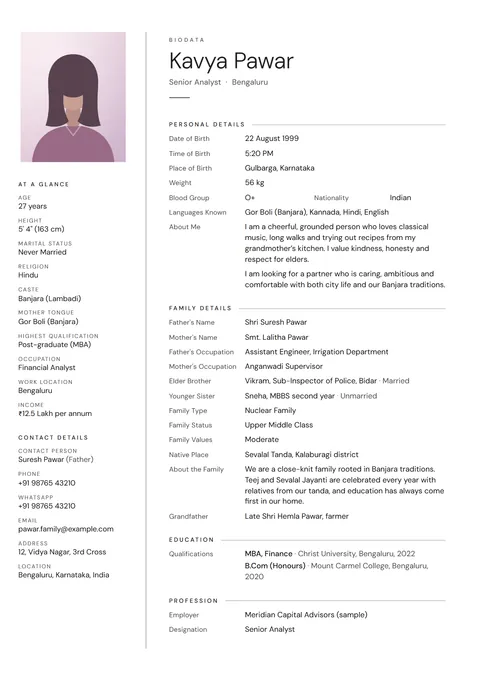
The same template, filled in. Yours will follow the layout with your own details.
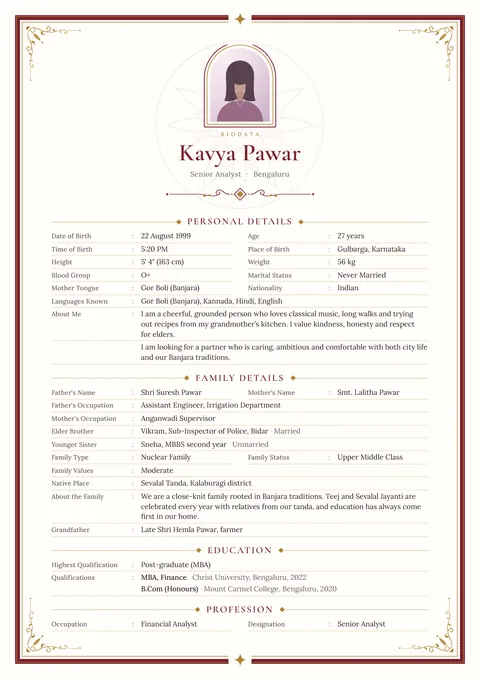
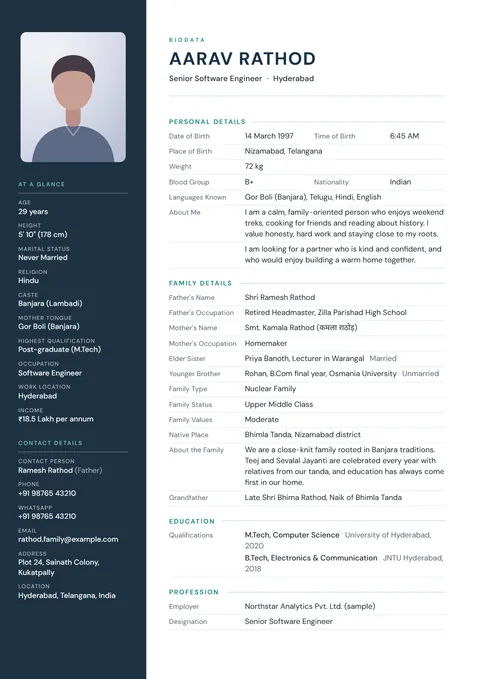
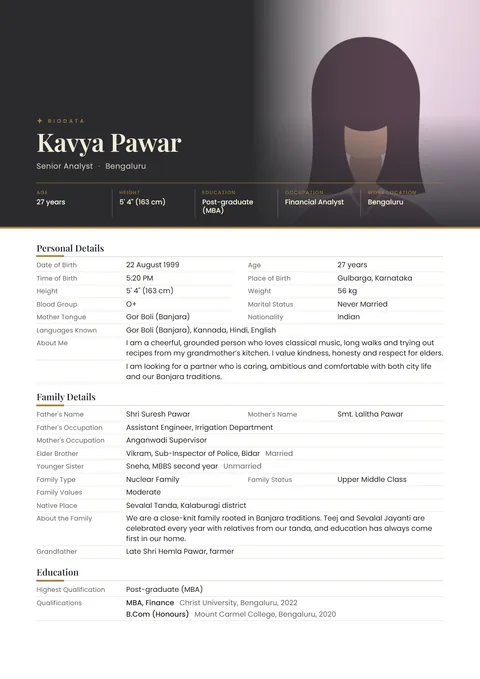
Every preview on this page is filled with fictional sample details, not a real person's biodata.
A biodata made in a word processor works, but the layout takes longer than the content. Here is what changes.
| Biodata Maker | Formatting it yourself | |
|---|---|---|
| Layout | Designed templates, aligned for you | Tables, borders and spacing aligned by hand |
| Page breaks | Details flow onto A4 pages; a section title is never left alone at the bottom | Breaks move every time you add a line |
| Photo | Crop and place your photo in the builder | Resize and wrap the picture yourself |
| Changing the design | Switch template, your details stay | Redo the formatting from the start |
| Hindi labels | One switch: English, Hindi or both | Type and format every label yourself |
| On a phone | Edit and preview on mobile | A .docx is hard to edit on a phone |
| Sharing | PDF, print, or a private link you control | Send the file as an attachment |
Create a neat, print-ready marriage biodata in your browser. Fill in your details step by step, watch the A4 preview update as you type, choose from 15 templates and download a PDF. Every template and every feature is free, and you can start straight away without creating an account.
The maker is built by BanjaraMatch, so it understands the details Banjara families ask about first, such as gotra, mother's gotra, clan and tanda. It works just as well for any community or religion, and the labels can be printed in English, Hindi or both.
Most families start a biodata in Word or in a notes app on the phone. That works until the job changes, a relative asks for a Hindi copy, or the second page breaks halfway through the family section. The maker takes care of those chores:
Not sure what to include or in which order? Read our marriage biodata format guide first. The maker follows the same structure, so the two work well together.
All 15 templates are free. Traditional and family-oriented designs suit elders who prefer a formal look. Modern and minimal designs suit working professionals. Photo-focused layouts give the picture more room. The Hindu, Muslim, Sikh and Christian classics begin with an optional invocation line that you can edit or remove. The Regional-Adaptable template prints English and Hindi labels side by side, and the black-and-white template is made for clean photocopies.
Browse them all in the template gallery, then open any design in the maker with your details already in place.
Open the biodata maker, choose a template and fill in the steps: personal details, photo, family, education, profession, income, religion and community, lifestyle, partner preferences and contact. The A4 preview updates as you type. When the content looks right, use the design options to adjust colours, fonts, photo position and section order, then download the PDF or print it. You can skip any step that does not apply to you.
Yes. The maker, all 15 templates, PDF download and printing are free, and so are the extras that come with a free account: saved drafts, version history, duplicates and private share links. There are no paid templates and no download charges.
Yes. Download PDF creates an A4, print-ready file with the fonts embedded, so it looks the same on any phone, computer or printer. If PDF generation is ever temporarily unavailable, use the Print button and choose "Save as PDF" in your browser's print window; it produces the same document.
Yes. Add a photo, then crop, zoom and rotate it to fit the template. The family step covers parents' names and occupations, brothers and sisters, family type, status, values and native place, and you can add your own fields to any section. Photos are stored privately, never listed publicly, and re-encoded on upload so that location data hidden in the file is removed.
Yes. Choose English, Hindi or both for the labels, and type your details in Hindi (Devanagari) wherever you like. The maker does not translate what you type, so write each value in the language you want printed. A Devanagari font is embedded, so Hindi prints correctly in the PDF. Our guide to marriage biodata in Hindi has a full label glossary.
Yes. Without an account, your draft stays in your browser, so you can come back and edit it on the same device. With a free account, your biodatas are saved online and you can edit them from any device, keep up to 10 biodatas, duplicate one to make a variation and restore an earlier version from its history. Download a fresh PDF after each change.
Yes. Guest drafts stay in your own browser, and the details sent to create a PDF are used only to generate the file and are not stored. Saved biodatas are visible only to you and are not part of matrimony profile search. You can share one only through a private link that you create; it expires after 7, 30 or 90 days, can be turned off at any time, and hides your contact details unless you turn them on. Deleting a biodata, or your account, removes its details and photo.
Yes. You can build, preview, print and download a PDF without an account. Your draft is kept in your browser's local storage on that device until you clear it. Create a free account only when you want to save biodatas online, keep earlier versions or share a private link.
 Tips - BanjaraMatch Team
Not every mismatch is a red flag, and not every red flag is obvious in a single meeting. Here is a practical, no-nonsense guide to telling t…
Read more Tips - BanjaraMatch Team
A step-by-step guide to writing a Banjara marriage biodata that makes families take you seriously — covering gotra, family background, photo…
Read more Culture - BanjaraMatch Team
A complete guide to Banjara gotras, same-gotra restrictions, the seven-generation rule, and how to use gotra matching on BanjaraMatch to fin…
Read morePick a template, fill in your details and download a print-ready A4 PDF. Free, with no sign-up needed.
BanjaraMatch - India's First Free Banjara Matrimony Platform. Join us today!
This website is strictly for matrimonial purposes only and not a dating website.
A safe, non-discriminatory, non-exploitative matchmaking service for adults aged 18 years and above seeking committed marriage relationships.
Copyright © 2026 BanjaraMatch.com. All rights reserved.